Valve’s Steam Machine is a compact SteamOS console-PC built to put your Steam library on a TV, and it was revealed alongside the Steam Frame headset. If you own a VR headset, the real question is whether this box can replace a gaming PC for VR. This review covers the specs, how it handles VR, which headsets it works with, and who should buy one.
The verdict up front
The Steam Machine is a good living-room PC and a partial answer for VR. Its GPU sits in roughly the class of a mid-range 2023 graphics card, and it has 8GB of dedicated video memory. That is enough for lighter SteamVR titles and for streaming to the Steam Frame with foveated encoding. It falls short for high-end sims, heavily modded games and anyone who wants to max out a sharp modern headset.
The bigger catch is software. The Steam Machine runs SteamOS, which is Linux. The Steam Frame is designed around it, but much of the VR world still assumes Windows. That includes Meta’s Link app for Quest, Sony’s PC adapter app for PSVR 2, and the popular streaming host apps. You can install Windows yourself, because Valve treats the Machine as an open PC. Out of the box, though, the Machine is a Steam Frame companion first and a general VR PC second.
Pros
- Small, quiet cube that fits under a TV, with HDMI and DisplayPort outputs
- Valve says it is more than six times as powerful as the Steam Deck
- Built from the start to pair with the Steam Frame’s eye-tracked foveated streaming
- Plays your existing Steam library with no repurchasing, through Proton
- Open PC: you can install another operating system, upgrade storage and use any controllers
Cons
- 8GB of VRAM is tight for demanding PC VR at high resolutions
- SteamOS blocks several popular VR paths, including Quest Link and the PSVR 2 PC adapter, unless you install Windows
- Valve has said memory and storage shortages affected its pricing and launch plans
- No official word on first-class support for wired headsets like the Valve Index
What the Steam Machine actually is
Valve announced the Steam Machine on November 12, 2025, alongside the Steam Frame VR headset and a new Steam Controller. All three were slated for early 2026. Valve chose not to sell it as a subsidized console. The company said the price would track a comparably specced PC, so you are not getting a cheap box propped up by store revenue the way PlayStation and Xbox hardware often is.
Inside is a semi-custom AMD chip setup. The machine is roughly a 6-inch cube, with height, width and depth all close to 6 inches, and it weighs about 2.6 kg. The power supply is internal, so there is no external brick to hide behind your TV stand.
| Spec | Steam Machine (announced spec) |
|---|---|
| CPU | Semi-custom AMD Zen 4, 6 cores / 12 threads, up to 4.8 GHz |
| GPU | Semi-custom AMD RDNA 3, 28 compute units, up to 2.45 GHz |
| Memory | 16GB DDR5 system RAM + 8GB GDDR6 VRAM |
| Storage | 512GB or 2TB NVMe SSD, plus microSD slot |
| Video out | DisplayPort 1.4, HDMI 2.0 |
| USB | USB-C (10Gbps), USB-A on front and back |
| Networking | Gigabit Ethernet, Wi-Fi 6E, Bluetooth 5.3 |
| Wireless | Built-in Steam Controller adapter |
| OS | SteamOS 3 (Arch Linux based) |
| Size / weight | About 6-inch cube, about 2.6 kg |
Two lines in that table matter more to VR players than the rest. The first is the separate 8GB pool of GDDR6. Unlike the Steam Deck, where the GPU shares system memory, the Machine has dedicated video RAM like a desktop card, and VR eats VRAM fast. The second is the DisplayPort 1.4 output, because that is the connection wired PC headsets have traditionally needed.
Steam Machines, the first generation
If “Steam Machines” sounds familiar, that is because Valve has tried this before. In November 2015 a wave of Steam Machines arrived from partners like Alienware, Zotac and others. They ran the original Debian-based SteamOS, and the idea was the same: put Steam in the living room on hardware that behaves like a console.
They flopped. The Linux game library was thin, because Proton did not exist yet. Most of the Windows catalog simply would not run, and performance on the games that did run often trailed Windows on identical hardware. Valve quietly removed the Steam Machines section from its store in 2018.
What changed between that generation and this one is software, not hardware. Proton, Valve’s compatibility layer, now lets SteamOS run a large share of Windows games without developers doing any porting work. The Steam Deck proved this at scale from 2022 onward. Valve’s green checkmark for Deck Verified games became a familiar sight in the Steam store, and that work is the real base the new Steam Machine is built on.
For VR owners, that history is a useful warning. SteamOS has matured hugely for flat gaming. VR on Linux has had far less attention, and that gap shapes the rest of this review.
Design and features
A cube that disappears under a TV
The Steam Machine is plain black with one standout detail: a customizable LED strip across the front. Valve showed it doubling as a download progress bar, so you can glance across the room and see how far along a big install is. The front panel can be swapped, and Valve has encouraged people to make their own faceplates.
Cooling uses a large fan, and Valve’s pitch is that the machine stays quiet under load. That claim is easy to make and hard to keep, so check independent noise tests once units are widely available. A loud box under the TV ruins movie night, and a loud box in a VR room is just as bad if you play with open-ear headphones.
Ports and outputs
You get both HDMI 2.0 and DisplayPort 1.4. HDMI 2.0 is the TV connection, and Valve rates it for 4K at 120Hz. DisplayPort 1.4 goes higher on monitors and is the one wired VR headsets would use. There is a 10Gbps USB-C port, USB-A ports front and back, and gigabit Ethernet.
That Ethernet port is worth a moment if you plan to stream VR. Wire the Machine into your router, and you remove one wireless hop from the chain. The Steam Frame ships with its own dedicated wireless adapter for streaming, which you plug into the PC’s USB port, so the headset link does not have to share your home Wi-Fi.
Controllers
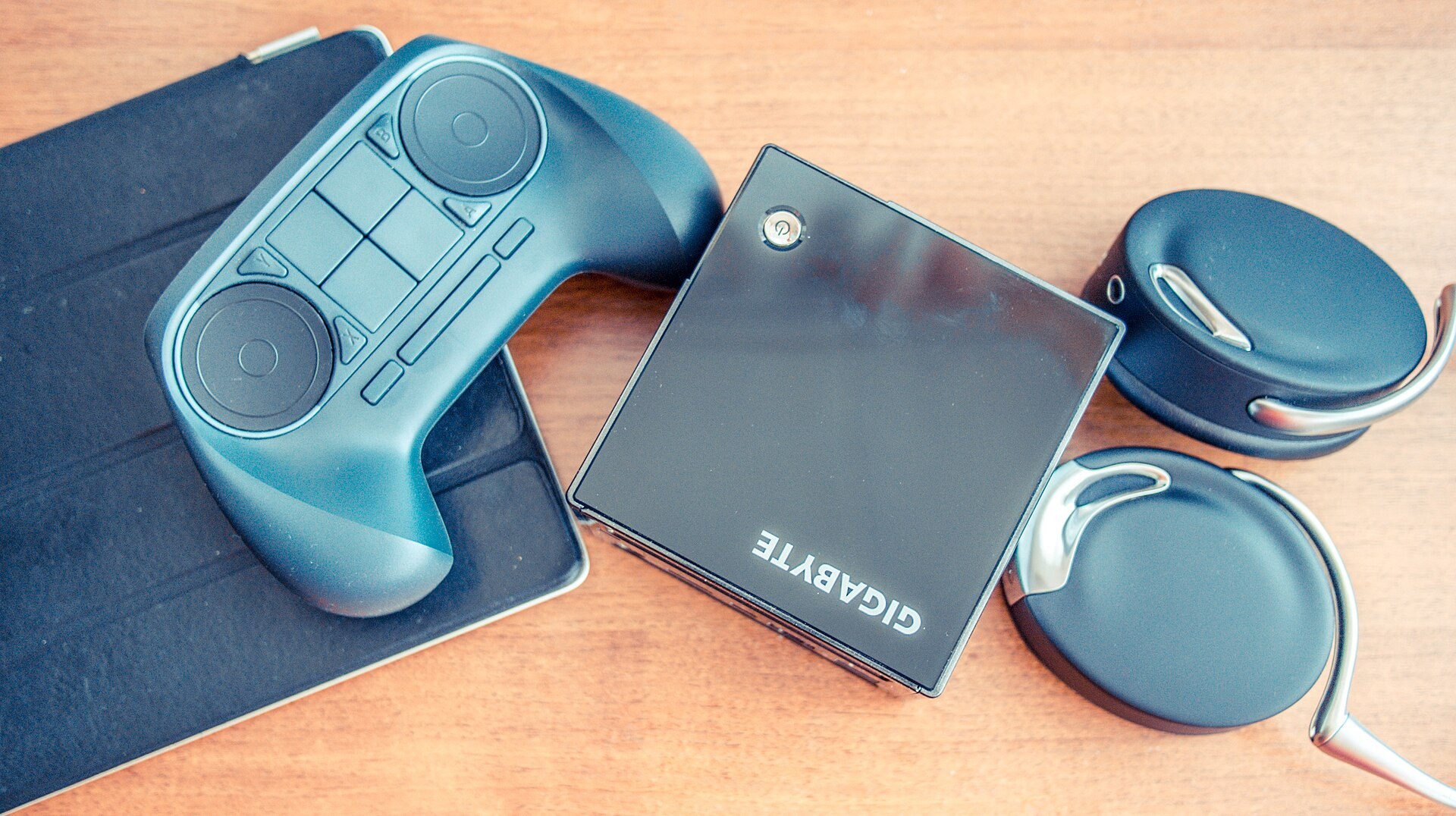
The Steam Machine has a built-in wireless adapter for the new Steam Controller, so you do not need a dongle for the main controller. It also works with Bluetooth gamepads and with Xbox and PlayStation controllers. On a TV, Steam’s Big Picture mode handles navigation, and the console-style interface carries over from the Steam Deck.
The new Steam Controller is relevant to VR owners in a small way. Its magnetic TMR thumbsticks and its tracking design share ideas with the Steam Frame’s controllers. If you are buying into Valve’s ecosystem as a whole, the parts are clearly designed to work together.
Player tip
Plan your setup around Ethernet from day one. If the Steam Machine sits by the TV and the router is in another room, a cheap powerline adapter or a long cable will do more for VR streaming quality than any settings tweak.
Performance and gaming on a flat screen
Valve’s own target for the Steam Machine is 4K at 60 frames per second on a TV, using AMD’s FSR upscaling for most demanding games. That is an honest framing. The machine is not rendering big modern games natively at 4K. It renders at a lower resolution and upscales, which is exactly what PS5 and Xbox Series X games do too.
Valve says the Machine is more than six times as powerful as the Steam Deck. Here is how the two compare on paper, with a typical VR-ready PC for context.
| Steam Deck (2022) | Steam Machine | Typical VR-ready PC | |
|---|---|---|---|
| CPU | Zen 2, 4 cores / 8 threads | Zen 4, 6 cores / 12 threads | 6 to 8 modern cores |
| GPU | RDNA 2, 8 compute units | RDNA 3, 28 compute units | Desktop card, RTX 3060 class or above |
| Video memory | Shared with 16GB system RAM | 8GB dedicated GDDR6 | 8GB to 16GB dedicated |
| Main display | 800p handheld screen | 4K TV via upscaling | Monitor plus headset |
| OS | SteamOS | SteamOS | Usually Windows |
The compute unit count matches AMD’s laptop Radeon RX 7600M and sits a little below the desktop RX 7600. That puts the Machine’s GPU in mid-range territory, comparable to cards that run current games well at 1080p and need help at 1440p or 4K.
For flat gaming on a TV, that is a solid result. Most of the catalog will run smoothly, and anything already rated Deck Verified should feel comfortable with room to spare. The Machine is not built for path tracing or ultra settings in the heaviest new releases. Valve is not pretending otherwise.
Steam Machine VR: what the hardware can handle
This is the part that matters if you own a headset. VR is much harder on a GPU than flat gaming, for three reasons:
- Two views. Every frame is rendered for each eye, from slightly different positions.
- High refresh rates. Comfortable VR wants 90Hz or more, and dropping frames feels far worse in a headset than on a TV.
- Supersampling. Lens distortion means the GPU renders a larger image than the panel resolution to keep the center sharp.
Modern headsets push this further. A Quest 3 has 2064 x 2208 pixels per eye, and the Steam Frame has 2160 x 2160 per eye. Driving either panel at native-equivalent sharpness at 90Hz or more is real work for any GPU.
For reference, here is where the Steam Machine lands against long-standing SteamVR targets.
| Benchmark | GPU | How the Steam Machine compares |
|---|---|---|
| Valve Index minimum (2019) | GTX 970 | Comfortably above |
| Valve Index recommended (2019) | GTX 1070 or better | Above |
| Comfortable modern PC VR on high-res headsets | RTX 3070 / RX 6800 class and up | Below |
| High-end sims (MSFS, iRacing in VR) | RTX 4080 class and up preferred | Well below |
What that means in practice is fairly predictable. Stylized and well-optimized VR games should run well. Think Beat Saber, Pistol Whip, Superhot VR, Moss and similar titles, which ran on the original Quest’s mobile chip. Mid-weight games like Boneworks or Into the Radius should be playable with sensible settings. Half-Life: Alyx is famously well optimized and should be manageable at moderate render resolutions.
The pressure points are VRAM-hungry and CPU-heavy games. Flight sims, racing sims with full grids, VRChat worlds with dozens of avatars, and modded Skyrim VR will all bump into the 8GB ceiling or the six-core CPU. On a Windows PC with a mid-range card, those games already demand compromises, and they will here too. If those games are why you own a headset, a Steam Machine is not the right box.
Comfort check
Low or unstable frame rates in VR cause nausea far faster than on a TV. If a game stutters on the Steam Machine, drop the render resolution before you push through, and stop playing the moment you feel queasy or get a headache.
The Steam Frame pairing: why foveated streaming matters
Valve did not launch the Steam Machine and the Steam Frame on the same day by accident. The Frame is a standalone headset with its own Snapdragon 8 Gen 3 chip, but its headline feature is streaming PC VR from a host machine. The Steam Machine is the obvious host.
How foveated streaming works
The Steam Frame has eye tracking. Valve uses it for what it calls foveated streaming. The headset tells the encoder where you are looking. The stream then spends most of its bandwidth on that small area of the image and compresses the periphery harder, where your eyes cannot resolve fine detail anyway.
Valve says this works with every streamed game, with no developer integration needed. That matters, because foveated rendering on the GPU usually requires each game to support it, and very few PC VR titles do. Foveated streaming does not reduce what the Steam Machine’s GPU has to render. It does make the picture you see sharper for the same wireless bandwidth, which is the usual weak point of wireless PC VR.
Steam Frame key specs
| Spec | Steam Frame (announced spec) |
|---|---|
| Display | LCD, 2160 x 2160 per eye |
| Refresh rate | 72 to 120Hz, with 144Hz experimental |
| Lenses | Pancake |
| Chip | Snapdragon 8 Gen 3, 16GB RAM |
| Storage | 256GB or 1TB, plus microSD |
| Tracking | Inside-out cameras, eye tracking |
| Weight | About 440 g (Valve figure) |
| PC link | Included 6GHz wireless adapter |
| OS | SteamOS on ARM |
The headset’s rear-mounted battery helps balance it on your head. Valve’s design puts the compute module up front and the battery at the back, the same trick that makes elite straps on a Quest feel lighter than the raw weight suggests. If you have tried a counterweighted strap from our list of the best Meta Quest 3 accessories, you know how much that balance matters over a long session.
Why this pairing makes sense
Put the Machine and the Frame together and you get something no other living-room setup offers. You play flat Steam games on the TV with a controller, then pick up the headset and stream SteamVR games from the same box. Everything runs SteamOS, on hardware Valve has tuned for this exact link. There are no Windows drivers to update and no third-party streaming app to configure.
That is the core of what the Steam Machine means for VR. It is a reference host for Valve’s own headset, and it gives Steam Frame buyers a supported, compact option that is not a full tower PC.
What it means if you own a Meta Quest
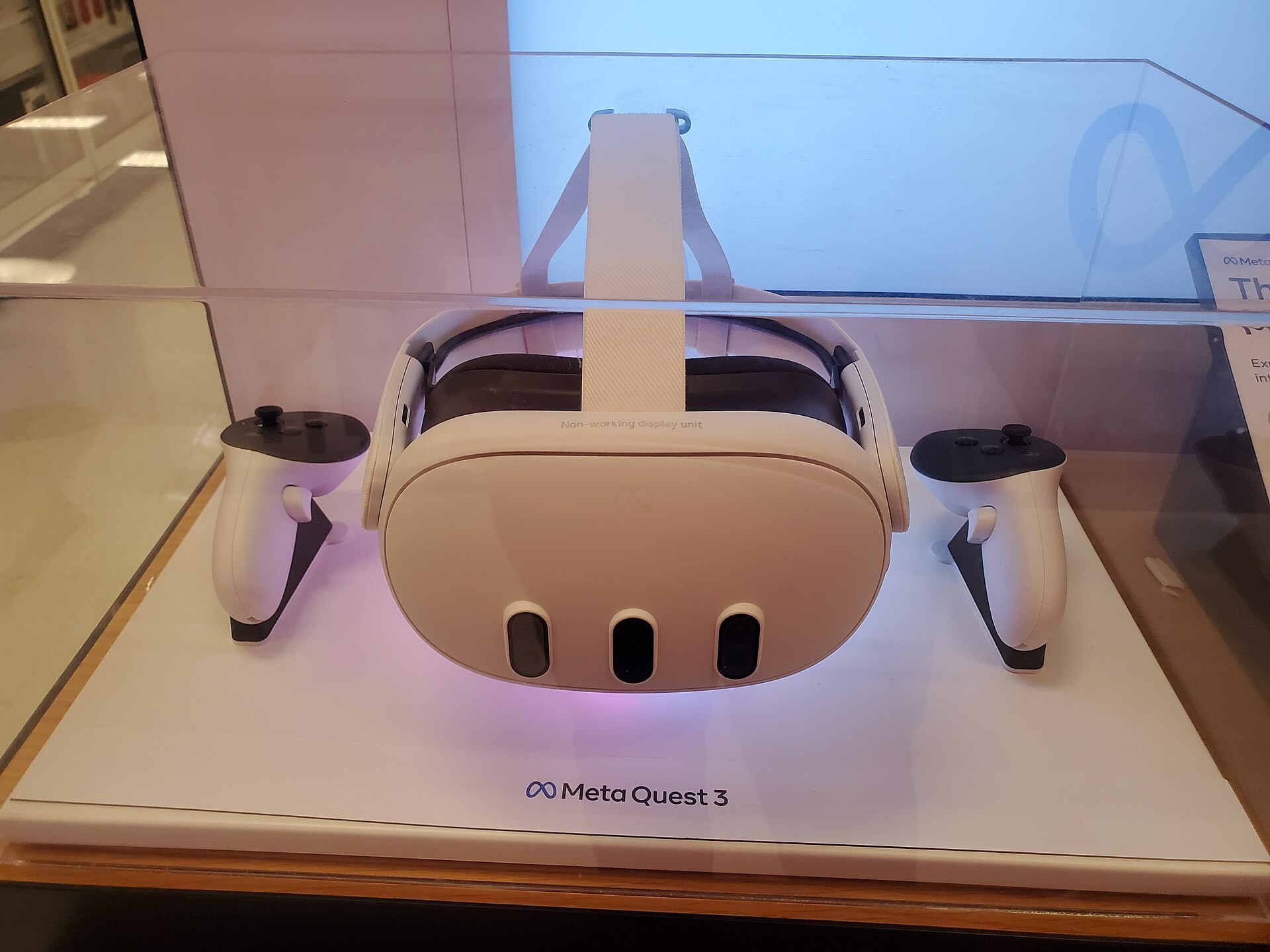
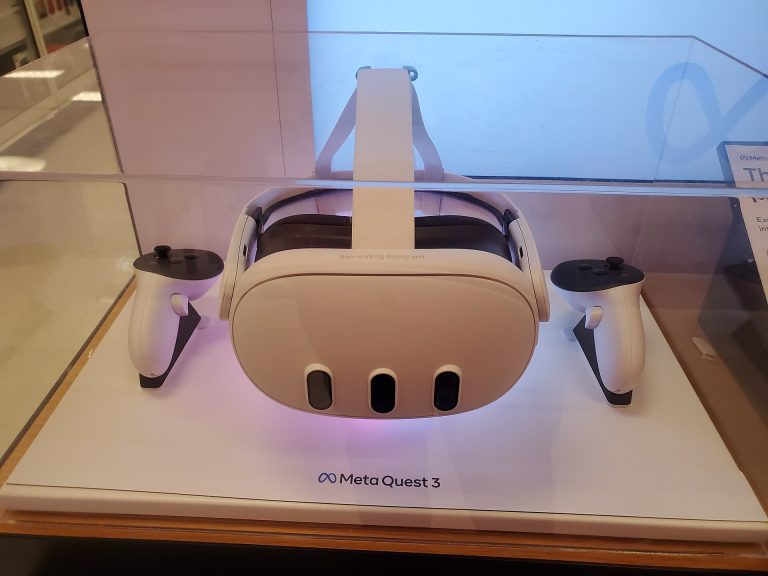
Quest headsets are the most common way people play PC VR today, so this section matters to the most readers. The short version is that a Quest and a Steam Machine on SteamOS do not get along easily.
There are four main ways to stream PC VR to a Quest, and SteamOS breaks most of them:
- Meta Quest Link (wired or Air Link): The Meta Horizon Link app is Windows only. It will not run on SteamOS.
- Valve’s Steam Link app for Quest: Built around Windows hosts running SteamVR. Do not count on it working from SteamOS unless Valve says it does.
- Virtual Desktop: The streamer app on the PC side is Windows only.
- ALVR: An open-source streaming project with Linux support. It is the most realistic native option on SteamOS, but it is community-maintained, and expect to do some setup work.
The cleanest route for a Quest owner is installing Windows on the Steam Machine. Valve has said this is an open PC and you are free to run another operating system. Once Windows is on there, the Machine behaves like any small-form-factor gaming PC, and Link, Air Link, Steam Link and Virtual Desktop all work as they would anywhere else. You lose the console-style SteamOS experience on the TV, unless you are comfortable dual-booting.
If you are deciding between a Quest 3 and a Steam Frame for streaming from a Steam Machine, the Frame is the far simpler choice. If you already own a Quest and love it, our Meta Quest 3 guide for buyers and first time owners covers what the headset does well on its own. Many Quest owners rarely stream PC VR at all, because the standalone library has grown so large. Rumors around the Meta Quest 4 are also worth watching before you spend on new hardware.
Player tip
If you plan to put Windows on a Steam Machine for Quest streaming, do it before you install your library. Reformatting later means downloading hundreds of gigabytes again, and the 512GB model fills up fast once a few big VR games are installed.
What it means for Valve Index and other wired headsets
Valve Index owners will reasonably expect Valve’s new PC to run Valve’s old headset. The hardware is there: the Steam Machine has a DisplayPort 1.4 output and USB ports, which is what the Index cable needs.
The software picture is murkier. SteamVR has a Linux version, and Index owners on Linux desktops do run it. It has historically been rougher than the Windows version, with features arriving later and more bugs. At announcement, Valve’s VR story for the Machine focused on the Steam Frame, not on wired headsets.
Treat Index support as something to confirm with real-world reports before you buy a Steam Machine specifically for that purpose. The same goes for Bigscreen Beyond, Pimax and other DisplayPort headsets. A good rule: if a headset depends on a Windows-only companion app, assume it needs Windows on the Machine.
Performance is a second issue for high-resolution wired headsets. The Index’s 1440 x 1600 per eye panels are kind to a mid-range GPU. Very high-resolution headsets are not, and an 8GB GPU will force heavy compromises on them even under Windows.
What it means for PSVR 2 owners
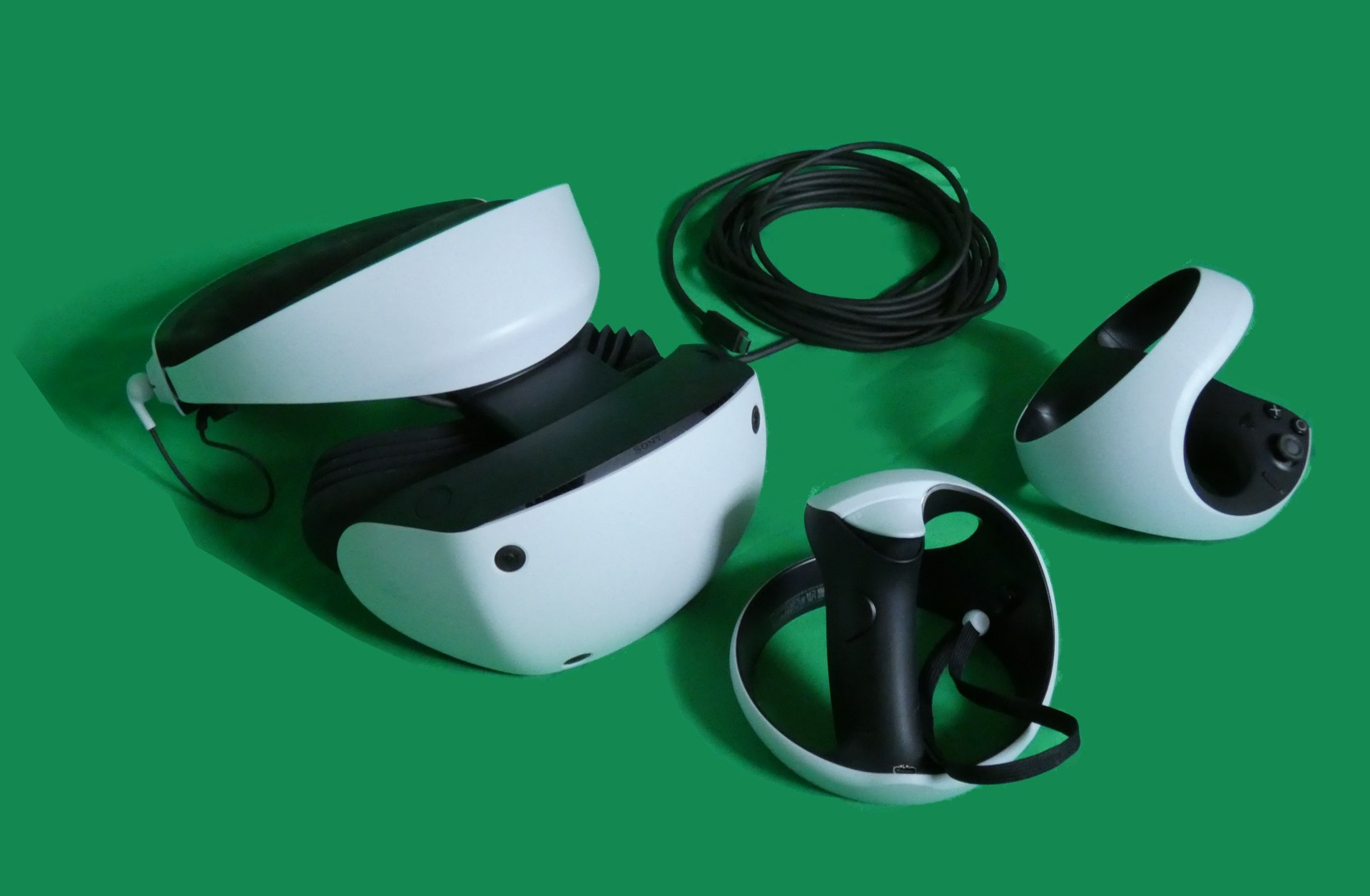
Sony’s PlayStation VR2 PC adapter, released in August 2024, lets PSVR 2 work with SteamVR games. Its requirements are specific: a GPU with DisplayPort 1.4 output, Bluetooth, and a 64-bit Windows 10 or 11 PC running Sony’s PlayStation VR2 app.
The Steam Machine covers the DisplayPort and Bluetooth requirements. SteamOS does not cover the Windows requirement. If you want to use a PSVR 2 with a Steam Machine, plan on installing Windows. Even then, test carefully, because Sony’s adapter has historically been fussy about Bluetooth chipsets, and the Machine’s onboard Bluetooth has no track record with it yet.
The PSVR 2 also lacks eye-tracked foveated rendering on PC, a feature it offers on PS5. On a mid-range GPU like the Machine’s, that missing feature hurts more than it would on a high-end card.
Headset compatibility at a glance
| Headset | On SteamOS (as shipped) | With Windows installed | Notes |
|---|---|---|---|
| Steam Frame | Designed for it | Supported | Foveated streaming via included adapter |
| Meta Quest 3 / 3S | Community tools only (ALVR) | Link, Air Link, Steam Link, Virtual Desktop | Windows is the easy path |
| Valve Index | SteamVR Linux, unconfirmed by Valve for Machine | Supported | Check user reports first |
| PlayStation VR2 | No (adapter app is Windows only) | Possible with PC adapter | Bluetooth compatibility untested |
| Bigscreen Beyond and other DP headsets | Unconfirmed | Likely, GPU-limited | 8GB VRAM is a real cap |
If you take one thing from this review, take that table. The Steam Machine is a strong VR host for the Steam Frame and a capable but compromised one for everything else.
Purchasing guide: price, storage and the memory squeeze
Valve did not announce a price at the November 2025 reveal. It said only that the Machine would cost roughly what a comparable PC costs. Since then, global memory and storage shortages pushed up component prices across the PC industry. Valve has said publicly that those shortages forced it to revisit pricing and shipping plans.
That leaves you with a moving target, so check Valve’s own store page for the current price and availability before you make any decision. Do not trust third-party listings or pre-order pages that claim to know.
Which storage model to pick
There are two storage tiers, 512GB and 2TB. For VR players, the larger one is the easy call. Modern VR games are not as large as the biggest flat releases, but they add up fast, and a single flight sim install can swallow a big share of a 512GB drive. If cost forces you into the smaller model, the microSD slot is fine for flat indie games but slow for anything large. The 512GB model works best as a stopgap until you swap in a bigger NVMe drive.
Steam Machine vs building your own VR PC
The honest comparison is a small DIY gaming PC. If you are comfortable building one, you can likely match the Steam Machine’s performance for similar money. With some cash in reserve, you can beat it on GPU, which matters most for VR. You will also run Windows by default, which removes every software headache in this review.
What you give up is the size, the quiet, the console-style SteamOS interface and the tight Steam Frame integration. Valve has also tuned the whole package for its own headset. For a living-room PC that also handles VR, the Steam Machine is the tidier option. For a dedicated VR PC, a self-built or prebuilt Windows tower with a stronger GPU still wins.
Quick steps: Decide if the Steam Machine fits your VR setup
- Check which headset you own against the compatibility table.
- If it needs a Windows-only app, decide whether you will install Windows.
- List your three most-played VR games and check their GPU demands.
- Pick the 2TB model if VR is a main use.
- Confirm current price on Valve’s store before committing.
More than just a console: the big picture for VR
Step back and the Steam Machine fits a clear Valve strategy. The Steam Deck proved SteamOS could carry a mainstream device. The Steam Machine puts SteamOS on the TV. The Steam Frame puts it on your face, running on an ARM chip with Valve’s translation layer handling software built for x86.
For VR, that is a big shift. For years, PC VR has meant Windows, a tower under the desk and a stack of third-party apps doing the heavy lifting. Valve is trying to build a VR stack that runs end to end on its own operating system, with its own headset and its own host hardware.
That has consequences beyond Valve’s own products. If the Steam Frame and Steam Machine sell well, developers have a reason to test their VR games on SteamOS and Linux, and Proton’s VR support gets more attention. That raises the floor for everyone, including people running SteamVR on Linux desktops today.
It also puts pressure on Meta. Quest has dominated consumer VR by being cheap, standalone and easy. A Valve setup that offers a polished living-room PC and a strong streaming headset is a different kind of competitor. That will matter when the next Quest generation arrives, and it could push Meta to make PC streaming on Quest better or easier.
None of this is guaranteed. Valve’s first Steam Machines failed, and its first VR push with the Index stayed a niche enthusiast product. What is different this time is that Valve controls the operating system, the store, the headset and the host box, and it has the Steam Deck’s success behind it.
Who should buy the Steam Machine (and who should not)
Buy it if
- You are buying a Steam Frame and do not have a gaming PC. This is the clearest fit. The Machine is the supported, compact host for Valve’s headset, and the pairing is what both products were designed around.
- You want a living-room PC first and light-to-mid VR second. It plays your Steam library on the TV, and it handles plenty of popular, well-optimized VR games. Our roundup of VR games worth your time in every genre is a good place to see how many of the best titles are not especially demanding.
- You are a Steam Deck owner who wants the same experience on a big screen. Your library, saves and Deck-tuned habits carry straight over.
Skip it if
- You play flight sims, racing sims or heavily modded VR games. You need more GPU and more VRAM than this box offers. Buy or build a Windows PC with a stronger card.
- You own a Quest and do not want to install Windows. The SteamOS experience with a Quest is limited to community tools. A Windows PC, or simply staying standalone on the Quest, is less hassle.
- You own a PSVR 2 and want plug-and-play PC VR. The adapter needs Windows, and even then compatibility is unproven on this hardware.
- You already have a capable gaming PC. If your PC has an RTX 3070 or better, the Machine is a sidegrade for VR. Put the money toward a Steam Frame instead and stream from what you already own.
Our recommendation
If you are going all in on Valve’s new hardware, the Steam Machine plus Steam Frame is the most coherent PC VR setup you can buy today for a living room. If you own any other headset, treat the Steam Machine as a small Windows PC with a SteamOS option, and judge it on GPU value against a self-built machine. For most existing VR owners, that comparison will favor a traditional PC.
FAQ
Can the Steam Machine run VR?
Yes. It has a mid-range RDNA 3 GPU with 8GB of dedicated video memory, which is above the original Valve Index recommended spec. Lighter and well-optimized SteamVR games should run well. Demanding sims and high-resolution headsets will need lower settings, and some will struggle regardless.
Does the Steam Machine work with the Meta Quest 3?
Not easily on SteamOS. Meta’s Link app and Virtual Desktop’s PC streamer are Windows only, and Valve’s Steam Link app for Quest has been built around Windows hosts. Community tools like ALVR support Linux. The simplest option is installing Windows on the Steam Machine, which Valve allows.
Is the Steam Frame required to use the Steam Machine for VR?
No, but it is the only headset designed specifically around it. The Frame streams from the Machine with eye-tracked foveated streaming and an included wireless adapter. Other headsets either rely on community software or need Windows installed.
What were the original Steam Machines?
They were living-room gaming PCs from partners like Alienware and Zotac, launched in 2015 with an early version of SteamOS. They struggled because few Windows games ran on Linux at the time. Valve removed them from its store in 2018. Proton and the Steam Deck changed that picture, and the new Steam Machine is made by Valve itself.
Can you install Windows on the Steam Machine?
Valve has said the Steam Machine is an open PC and you can install other operating systems. That is the route to use Quest Link, Virtual Desktop and the PSVR 2 PC adapter. Expect to handle driver installs yourself, as you would on any self-built PC.
How much does the Steam Machine cost?
Valve did not announce a price at the reveal and later said memory and storage shortages affected its pricing plans. Check Valve’s official store for the current price, and be wary of third-party listings claiming early prices.