
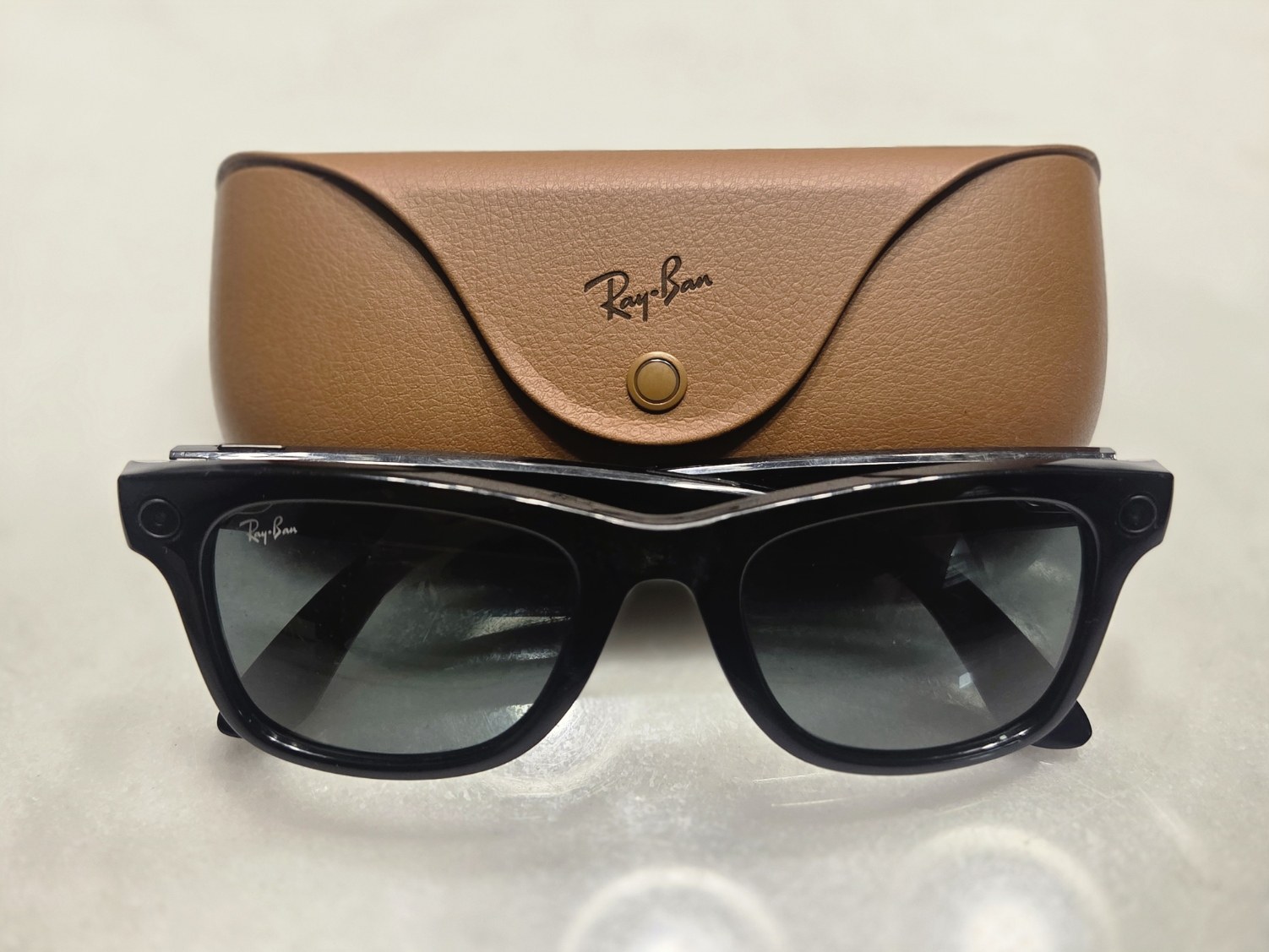
Smart glasses now fall into a few distinct product types: camera-and-AI frames that look like normal sunglasses, heads-up display glasses that put text in your eye line, and video glasses that act as a giant private screen. This guide ranks the eight models worth your money, explains what each type actually does, and tells you which one fits your budget and daily routine.
Our top tested picks, ranked
Prices below are launch list prices in US dollars. Retailers discount these often, and prescription lenses add to the total.
- Ray-Ban Meta (Gen 2): best smart glasses for most people
- Meta Ray-Ban Display: best AI glasses with a built-in screen
- Even Realities G2: best discreet heads-up display for prescription wearers
- Oakley Meta Vanguard: best for running, cycling and workouts
- XREAL One Pro: best display glasses for movies, travel and laptop work
- VITURE Luma Ultra: best display glasses for spatial computing
- RayNeo Air 3s Pro: best budget display glasses
- Nuance Audio: best smart glasses for hearing support
Quick comparison table
| Rank | Model | Type | Display | Rated battery | Launch price |
|---|---|---|---|---|---|
| 1 | Ray-Ban Meta (Gen 2) | Camera + AI audio | None | Up to 8 hrs | From $379 |
| 2 | Meta Ray-Ban Display | AI + heads-up display | Full color, one eye | Up to 6 hrs | $799 (with Neural Band) |
| 3 | Even Realities G2 | Heads-up display | Monochrome green, both eyes | Multi-day (light use) | $599 |
| 4 | Oakley Meta Vanguard | Sport camera + AI audio | None | Up to 9 hrs | $499 |
| 5 | XREAL One Pro | Video / display glasses | 1080p micro-OLED per eye | Powered by host device | $599 |
| 6 | VITURE Luma Ultra | Video / display glasses | 1200p micro-OLED per eye | Powered by host device | $599 |
| 7 | RayNeo Air 3s Pro | Video / display glasses | 1080p micro-OLED per eye | Powered by host device | Under $300 typical |
| 8 | Nuance Audio | Hearing glasses | None | About 8 hrs | About $1,100 and up |
What smart glasses are in 2026
The term covers very different devices, and buying the wrong type is the most common mistake we see. A pair of Ray-Ban Metas will not show you a movie, and a pair of XREAL display glasses will not take a photo. Sort out the category first and the shortlist gets short fast.
| Type | What it does | What it can’t do | Examples |
|---|---|---|---|
| Camera + AI audio glasses | Photos, video, open-ear audio, calls, voice assistant | No screen in the lens | Ray-Ban Meta, Oakley Meta HSTN, Oakley Meta Vanguard |
| Heads-up display (HUD) glasses | Shows notifications, captions, translation, navigation, teleprompter text | No movies, small low-detail display | Meta Ray-Ban Display, Even Realities G2 |
| Video / display glasses | Mirrors a phone, laptop, console or handheld onto a large virtual screen | Need a cable and a host device, poor see-through in bright sun | XREAL One Pro, VITURE Luma Ultra, RayNeo Air 3s Pro |
| Audio and hearing glasses | Music, calls, or amplified speech | No camera, no display | Nuance Audio, Amazon Echo Frames |
People searching for “intelligent glasses” usually mean the first two rows: frames with a voice assistant that can see what you see or answer questions without your phone. Video glasses are the better buy if what you actually want is a private cinema on a plane.
Smart glasses are also distinct from mixed reality headsets. If you want full virtual worlds, hand tracking and room-scale games, a headset still does that far better, and our Meta Quest 3 guide for buyers and first time owners covers that route.
How we picked: selection criteria that matter
We ranked these on daily wearability first, because glasses you leave in a drawer are worth nothing. Here is what we weighed, in order.
- Does it look like normal eyewear? Camera glasses from Meta now pass as regular Ray-Bans or Oakleys. Display glasses still look chunkier and darker.
- Prescription support. If you wear glasses all day, you need lenses in your prescription. Check the supported range before you buy, because display models often have narrower ranges than plain frames.
- Battery in real use. Rated numbers assume mixed, light use. Heavy video recording or constant AI queries drain any pair faster, so the charging case matters.
- Phone and platform compatibility. Meta’s glasses work with the Meta AI app on iPhone and Android. Video glasses need a device that outputs video over USB-C, which rules out some phones entirely.
- Comfort over an hour. Weight on the nose, temple pressure and heat matter more than any spec sheet number.
- Privacy and etiquette. Cameras change how people around you react, and some venues ban them outright.
1. Ray-Ban Meta (Gen 2): best smart glasses for most people
Ray-Ban Meta (Gen 2) is the pair we recommend to almost everyone who asks “what are the best smart glasses?” Meta announced it at Connect in September 2025, priced from $379, and it fixed the biggest complaint about the original: battery life.
Meta rates the Gen 2 at up to 8 hours of typical use, roughly double the first generation’s 4 hours. The charging case adds up to 48 hours more, and a 20-minute top-up gets you to about half charge. In practice that means you can wear them from morning commute to dinner without babysitting a battery icon.
The camera is a 12MP ultrawide that now records 3K video, up from 1080p on Gen 1. It’s ideal for hands-free clips of your kids, your dog or a hike, shot from your exact point of view. Footage is stabilized, and you can livestream to Instagram and Facebook.
Audio comes from open-ear speakers in the temples, backed by a five-mic array for calls. They’re good for podcasts and calls, fine for music, and leak sound at high volume in a quiet room. Meta AI handles questions like “what am I looking at?”, live translation between supported languages, and reminders.
Pros
– Looks like a normal pair of Wayfarers, Skylers or Headliners
– Strong battery and charging case
– Best camera in any mainstream smart glasses
– Wide prescription and transition lens options through Ray-Ban retailers
Cons
– No display, so all feedback is audio
– Meta AI works best inside Meta’s own apps
– Camera use draws attention in some settings
Player tip
Turn on the “Hey Meta” wake word only if you actually use it. Disabling it in the Meta AI app saves battery and stops accidental triggers in conversation.
Budget alternative: The original Ray-Ban Meta stayed on sale at $299 after the Gen 2 launch. It’s a fine buy if you mostly want calls and photos and can live with 1080p video and roughly half the battery.
2. Meta Ray-Ban Display: best AI glasses with a screen
Meta Ray-Ban Display is the most advanced consumer smart glasses you can buy right now, and it launched in the US on September 30, 2025 at $799. That price includes the Meta Neural Band, a wristband that reads tiny muscle signals in your wrist so you can control the glasses with finger pinches and thumb swipes.
The display sits in the right lens only. It’s full color, 600 x 600 pixels across a 20-degree field of view, and Meta quotes peak brightness up to 5,000 nits so it stays readable outdoors. You use it for message previews, turn-by-turn walking directions, live captions of the person talking to you, a camera viewfinder, and Meta AI answers shown as text and visuals.
This is a heads-up display, not a TV. Don’t expect to watch Netflix on it. Think of it as your phone’s lock screen floating just below your line of sight.
Battery is rated at up to 6 hours of mixed use, with the folding case adding up to 30 hours. The Neural Band lasts up to 18 hours and is water resistant. At 69 grams, the glasses are noticeably heavier than a standard Ray-Ban Meta, and you’ll feel it on the bridge of your nose after a couple of hours.
Buying is also more involved. Meta sold it through select US retailers with an in-person fitting and demo at launch, partly because the band needs sizing and the display needs a correct fit. Prescription support is narrower than on the camera-only models, so check your numbers before you book a demo.
Pros
– A real display you can read in daylight
– Neural Band control is discreet and works without speaking
– Live captions are genuinely useful in noisy places
Cons
– $799 and a limited retail footprint
– Heavier than other Meta glasses
– Display in one eye only
3. Even Realities G2: best discreet HUD for prescription wearers
Even Realities G2 is for people who want useful text in their vision without a camera on their face. Announced in November 2025 at $599, it uses a monochrome green display in both lenses and looks closer to a pair of thin optical frames than anything Meta sells.
The deliberate trade-off is no camera. That makes the G2 easier to wear in meetings, classrooms and offices where camera glasses get side-eye or outright bans. It also means no photos, no “what am I looking at?” AI, and no point-of-view video.
What you do get is a clean set of productivity tools. Teleprompt scrolls your speaker notes as you talk. Conversate listens to a conversation and surfaces short prompts and context. Translate shows subtitles for the other person’s speech. Navigate puts walking directions in your view, and notifications from your phone appear as short text lines.
Even Realities pairs the G2 with an optional R1 smart ring ($249) for scrolling and selecting, so you aren’t tapping the temples constantly. Battery life is the other big win: with a monochrome display and no camera, light use stretches across more than a day.
Pros
– Looks like ordinary glasses
– No camera, which avoids most privacy friction
– Strong prescription support, which is the main reason many buyers pick it
– Excellent teleprompter and captioning tools
Cons
– Green text only, no images or video
– Ring costs extra
– Smaller app ecosystem than Meta
4. Oakley Meta Vanguard: best for workouts
Oakley Meta Vanguard is the smart glasses pick for runners, cyclists and anyone who trains outdoors. It launched in October 2025 at $499 and takes the Meta formula into a wraparound sport shield.
The camera moved to the center of the frame, right above your nose, with a 12MP sensor and a 122-degree field of view. That wide, centered angle produces much better action footage than side-mounted cameras, especially on a bike. The glasses are rated IP67 for dust and water, so sweat and rain are not a concern.
Battery is rated at up to 9 hours, the best of Meta’s lineup. The speakers are louder than on the lifestyle frames, which helps against wind noise at speed.
The standout feature is fitness integration. Vanguard connects with Garmin watches and Strava, so you can ask Meta AI for your pace or heart rate and hear it read back without glancing at your wrist. It can also auto-capture clips when you hit milestones during a ride or run.
If your workouts are mostly gym sessions or casual jogs, the Oakley Meta HSTN (from $399) is the better-looking, more versatile choice. It has the same 3K video and 8-hour battery in a classic Oakley frame.
Comfort check
Open-ear audio keeps you aware of traffic, but don’t turn it up to the point you can’t hear cars or bike bells. Never read notifications or AI replies while cycling in traffic.
5. XREAL One Pro: best display glasses for movies and travel
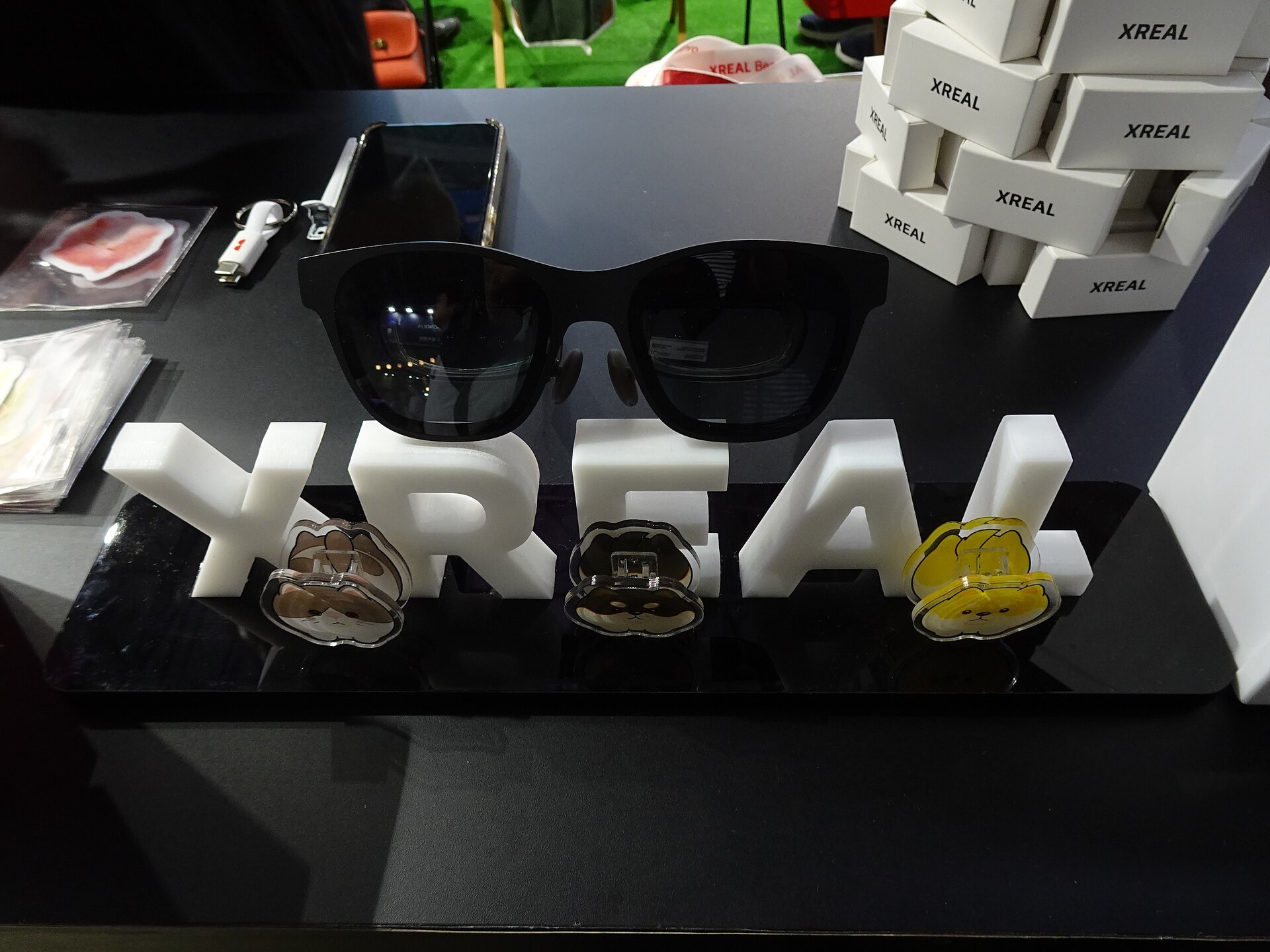
XREAL One Pro is our pick for the classic smart glasses use case most people actually want: a giant, private screen on a plane, a train or the couch. It launched at $599 and plugs into a phone, laptop, tablet, handheld PC or console over USB-C.
Inside are 1080p micro-OLED panels for each eye, with a 57-degree field of view. That’s the widest in XREAL’s lineup and big enough that a 16:9 movie fills most of your vision without feeling cramped. The flat prism optics reduce the glare and reflections older “birdbath” designs suffered from.
The key upgrade over cheaper glasses is XREAL’s X1 chip. It handles screen anchoring on the glasses themselves, so the virtual screen stays pinned in space when you turn your head, without needing a special app on your phone. That works on almost any compatible device, including a Mac, a Steam Deck or a Nintendo Switch through a dock.
There’s no battery in the glasses. They draw power from whatever they’re plugged into, which matters on a phone. A two-hour movie will take a real bite out of your charge.
If $599 is too much, the XREAL One ($499) has the same X1 chip with a 50-degree field of view. It’s the better value for most buyers who just want stable movies.
6. VITURE Luma Ultra: best for spatial computing
VITURE Luma Ultra sits at the top of VITURE’s 2025 Luma line at $599, and it’s built for people who want more than a floating screen. Its 1200p micro-OLED panels give a slightly taller image than standard 1080p, which helps with laptop work and documents.
It has a 52-degree field of view and adds onboard sensors for six degrees of freedom tracking. In practical terms, you can lean toward a virtual screen and it behaves like a physical monitor in the room, rather than one that moves with your head. That makes multi-window work and spatial apps more convincing.
VITURE also has some of the best built-in myopia adjustment in display glasses, with dials that let many nearsighted users skip prescription inserts. That’s a real convenience if you share glasses or don’t want to order custom lenses.
If you’re already an XREAL Air 2 Ultra owner, you know the basic pitch. The Air 2 Ultra launched at $699 in 2024 with 6DoF tracking and a 52-degree view, and it was one of the first display glasses aimed at developers and spatial apps. The Luma Ultra is the more refined, more current take for consumers.
7. RayNeo Air 3s Pro: best budget display glasses
RayNeo Air 3s Pro is the cheapest pair we’d actually recommend for watching video. It usually sells for under $300, and RayNeo discounts it often enough that patient buyers pay well below list.
You get 1080p micro-OLED panels per eye, solid color, and a 120Hz mode that suits handheld gaming. The Pro adds brighter panels and electrochromic dimming, so you can darken the lenses for movies or lighten them to see your surroundings.
The trade-off is tracking. Without an X1-style chip, the screen is locked to your head unless you use RayNeo’s app on a supported phone. For a straight movie on a flight that’s fine. For desk work, it gets tiring.
If you’re curious about display glasses but not sure you’ll use them weekly, this is the low-risk way in.
8. Nuance Audio: best smart glasses for hearing support
Nuance Audio, from EssilorLuxottica, is a different kind of smart glasses. It’s an FDA-cleared over-the-counter hearing aid built into normal-looking frames, for adults with mild to moderate hearing loss. It launched in the US in early 2025, priced at about $1,100 and up including lenses.
Microphones in the frame focus on the person in front of you and amplify their voice through speakers near your ears, without anything in your ear canal. Battery runs about 8 hours, and you can adjust volume from the frame or a phone app.
This is the right buy for someone who avoids traditional hearing aids because of stigma or comfort. It’s not a fit for severe hearing loss, and it doesn’t do music, calls or AI the way Meta’s glasses do. Get a hearing test first so you know where you stand.
Display glasses specs compared
These numbers explain why a $299 pair and a $799 pair are such different products. HUD glasses and video glasses solve different problems.
| Model | Display type | Resolution per eye | Field of view | Native screen anchoring | Launch price |
|---|---|---|---|---|---|
| Meta Ray-Ban Display | HUD, right eye only | 600 x 600 | 20° | N/A (HUD) | $799 |
| XREAL One | Video micro-OLED | 1920 x 1080 | 50° | Yes (X1 chip, 3DoF) | $499 |
| XREAL One Pro | Video micro-OLED | 1920 x 1080 | 57° | Yes (X1 chip, 3DoF) | $599 |
| XREAL Air 2 Ultra | Video micro-OLED | 1920 x 1080 | 52° | 6DoF via cameras | $699 |
| VITURE Luma Ultra | Video micro-OLED | 1920 x 1200 | 52° | 6DoF via sensors | $599 |
Best smart glasses by budget
| Budget | What you get | Our pick |
|---|---|---|
| Under $300 | Camera and audio, or basic video glasses | Ray-Ban Meta (Gen 1), RayNeo Air 3s Pro |
| $300 to $450 | Current camera glasses with full-day battery | Ray-Ban Meta (Gen 2), Oakley Meta HSTN |
| $450 to $650 | Sport camera glasses, premium video glasses, or a camera-free HUD | Oakley Meta Vanguard, XREAL One Pro, VITURE Luma Ultra, Even Realities G2 |
| $650 and up | Full-color HUD with gesture control, or medical-grade hearing glasses | Meta Ray-Ban Display, Nuance Audio |
Check your phone before buying display glasses
This is the step most buyers skip, and it causes most returns. Video glasses need a USB-C port that outputs video, known as DisplayPort Alt Mode.
Quick steps: check display glasses compatibility
- Confirm your phone or laptop has USB-C, not Lightning or micro-USB.
- Search your exact model plus “DisplayPort Alt Mode” in the maker’s spec sheet.
- For iPhone, you need an iPhone 15 or newer with USB-C.
- For Pixel, you need a Pixel 8 or newer on current software.
- If your device lacks video output, budget for an adapter or a streaming dongle.
iPhone 15 and later models output video over USB-C without adapters. Most recent Samsung Galaxy S and Galaxy Tab models do too. Google added the feature to the Pixel 8 and later through an update, so older Pixels won’t work directly.
Laptops with USB-C video, the Steam Deck and other Windows handhelds are the easiest hosts of all. A Nintendo Switch needs a small dock or adapter, because its port doesn’t output video directly to glasses.
Privacy, etiquette and where you can’t wear them
Camera glasses make people nervous, and that reaction is reasonable. Meta’s glasses have a white capture LED that lights up when you take a photo or record, and Meta says the camera won’t work if the LED is covered. That helps, but in a bright room the light is easy to miss.
Venues are responding. Courts, schools, gyms, hospitals and some offices have banned or restricted smart glasses, and our report on smart glasses bans and regulation tracks where the rules have tightened. If you need glasses for work or school, a camera-free display like the Even Realities G2 avoids most of these problems.
Basic etiquette goes a long way. Ask before you record people, take the glasses off in locker rooms and bathrooms, and don’t film strangers for content. Treat the camera the way you’d treat holding a phone up at someone’s face, because to the people around you it feels the same.
Comfort, eye strain and safety
Smart glasses are easier on most people than VR headsets, because you can still see the real world. That doesn’t make them strain-free.
Video glasses put a screen very close to your eyes, and some people get headaches or eye fatigue after an hour or two. Fit matters a lot here: if the nose pad sits too low or too high, the image blurs at the edges and your eyes work harder to compensate. Most brands include several nose pad sizes, so try them all before deciding a pair doesn’t suit you.
Head-locked screens can cause mild motion discomfort when you’re in a moving car or bus, because your inner ear and eyes disagree. Glasses with screen anchoring, like the XREAL One series, reduce this.
Comfort check
Never use video glasses while driving, cycling or walking in traffic. Take a 10-minute break each hour of screen use, and stop if you feel dizzy or get a headache.
Weight is the other factor. Camera glasses sit around the weight of regular sunglasses, while display models are heavier and more front-loaded. If you’re sensitive to pressure on your nose, try a pair in a store before ordering online.
What’s coming next
The next wave is already announced, so it’s worth knowing before you commit to a $600 pair.
Google confirmed at I/O 2025 that Android XR glasses are coming with partners including Warby Parker and Gentle Monster, with Gemini as the built-in assistant. That’s official, but final specs, prices and dates haven’t been published, so treat any numbers you see as rumor. XREAL has also shown Project Aura, a display device running Android XR that it has said will arrive in 2026.
Apple is the big unknown. Bloomberg’s Mark Gurman, a reporter with a strong record on Apple hardware, has reported Apple is developing its own smart glasses to compete with Meta. Apple hasn’t announced anything, so don’t wait on a product that doesn’t officially exist.
If what you want is immersive gaming rather than glanceable info, glasses won’t satisfy you yet. A headset remains the better buy for that, and our guide to VR games worth your time in every genre shows what you’d be missing.
Bottom line: who should buy which
- Buy Ray-Ban Meta (Gen 2) if you want the best all-round smart glasses for photos, calls, music and AI, and you care about looking normal.
- Buy Meta Ray-Ban Display if you want to see messages, directions and captions without pulling out your phone, and $799 fits your budget.
- Buy Even Realities G2 if you wear prescription glasses all day and want a heads-up display without a camera.
- Buy Oakley Meta Vanguard if you run or ride outdoors and want point-of-view footage plus Garmin or Strava stats in your ear.
- Buy XREAL One Pro if you want the best big-screen movie and travel glasses, or the XREAL One to save $100.
- Buy VITURE Luma Ultra if you want display glasses for spatial work and multi-window setups.
- Buy RayNeo Air 3s Pro if you want to try video glasses for under $300.
- Buy Nuance Audio if you have mild to moderate hearing loss and would rather not wear in-ear hearing aids.
FAQ
What can smart glasses actually do?
It depends on the type. Camera and AI glasses like Ray-Ban Meta take photos and 3K video, play music, handle calls, and answer questions about what you’re looking at. Heads-up display glasses show notifications, captions, translation and directions. Video glasses mirror a phone, laptop or console onto a large virtual screen for movies and games.
Do smart vision glasses actually work?
Yes, for what they’re designed to do. Display glasses deliver a sharp, private big screen, and HUD glasses reliably show captions and directions. Where they fall short is the sci-fi promise of full augmented reality: today’s consumer glasses can’t place detailed 3D objects convincingly around you the way a mixed reality headset can.
Can I watch Netflix on smart glasses?
Yes, on video glasses like the XREAL One Pro, VITURE Luma Ultra or RayNeo Air 3s Pro. Plug them into a phone, tablet or laptop that supports video over USB-C and open the Netflix app or website as usual. Camera glasses and HUD glasses, including Meta Ray-Ban Display, can’t play Netflix.
Can you tell if someone is wearing AI glasses?
Sometimes. Meta’s camera glasses have a small camera lens in the frame corner (or center on the Vanguard) and an LED that lights while recording, but they otherwise look like normal Ray-Bans or Oakleys. Display glasses are easier to spot because the lenses are thicker or slightly tinted. Camera-free HUD glasses like the Even Realities G2 are the hardest to notice.