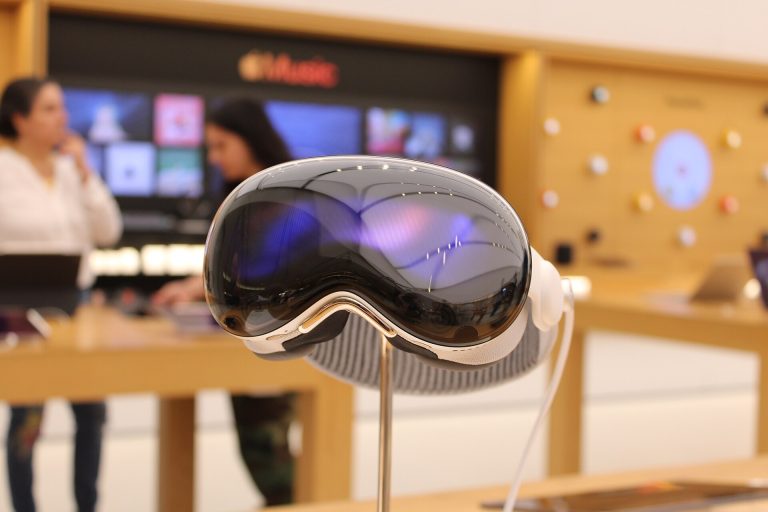
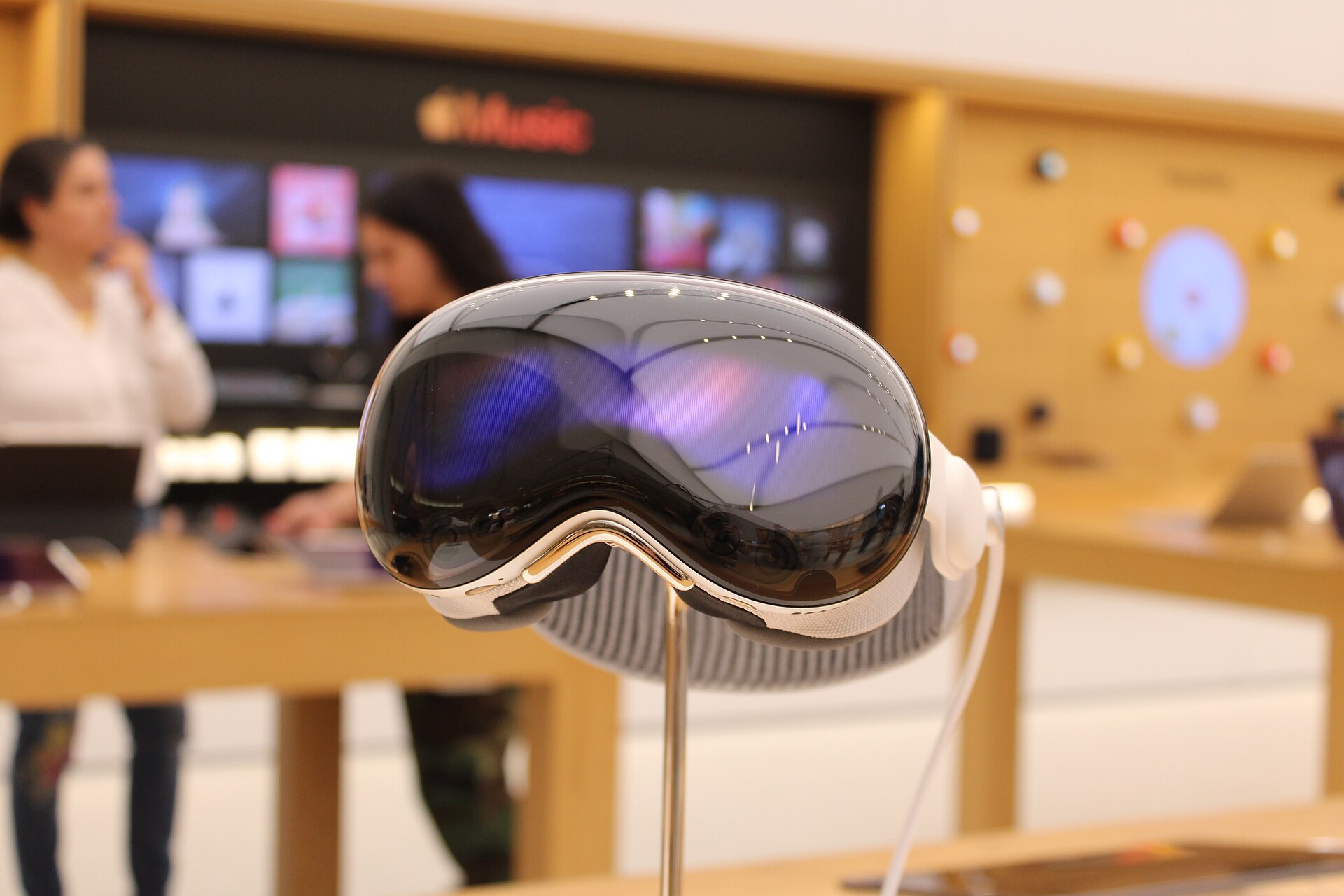
Apple Vision Pro is a $3,499 mixed reality headset that blends apps, video and 3D objects into your real room, which Apple calls spatial computing. You control it with your eyes, hands and voice instead of controllers, and it runs visionOS, an operating system built around floating windows you place anywhere around you. This explainer covers what the device is, how its cameras and chips make that work, what it is like to live with, and who should buy one.
What Apple Vision Pro actually is
Apple announced Vision Pro at WWDC in June 2023 and released it in the US on February 2, 2024. It was the company’s first new product category since Apple Watch. A second-generation model with the M5 chip arrived in October 2025 at the same starting price, and that is the version Apple sells today.
At its simplest, Vision Pro is a pair of very high resolution screens strapped to your face, plus a ring of cameras and sensors that watch the world and watch you. The cameras film your surroundings and show them to you in real time, so you see your living room. Apps then appear inside that view as if they were physical objects sitting in the space.
That is why people search for “apple vision pro mixed reality headset” and “apple goggles” and land on the same product. Technically it is a mixed reality headset, the same broad category as Meta Quest 3. Apple deliberately avoids the words VR and AR in its marketing and prefers “spatial computer”. The label is part branding, part honest description of where Apple puts the emphasis: productivity, media and communication first, games second.
What “spatial computing” means
Spatial computing is software that understands the physical space around you and puts digital content into it in a way that respects that space. A window stays pinned beside your bookshelf when you turn your head. A 3D model sits on your actual table and casts a soft shadow. A movie screen can grow to fill a wall, or the wall can disappear behind a virtual mountain lake.
Traditional computing keeps everything inside a rectangle. Spatial computing treats the whole room as the canvas, and the computer needs to know where the floor, walls, furniture and your hands are at all times to pull that off. Most of the hardware in Vision Pro exists to answer one question many times per second: where is everything, and where are you looking?
Vision Pro specs: original vs M5 model
Apple doesn’t publish every number VR buyers are used to seeing, such as field of view or exact resolution per eye. Here is what Apple does state, plus clearly labelled estimates.
| Spec | Vision Pro (M2, 2024) | Vision Pro (M5, 2025) |
|---|---|---|
| Launch price (US) | $3,499 (256GB) | $3,499 (256GB) |
| Storage options | 256GB, 512GB, 1TB | 256GB, 512GB, 1TB |
| Main chip | M2 + R1 | M5 + R1 |
| Memory | 16GB | 16GB |
| Displays | Dual micro-OLED, 23 million pixels total | Dual micro-OLED, 23 million pixels total |
| Refresh rate | 90Hz, 96Hz, 100Hz | Up to 120Hz |
| Field of view | Not published (testers estimate about 100° horizontal) | Not published, similar to original |
| Headset weight | 600-650g | 750-800g |
| Battery life (general use) | Up to 2 hours | Up to 2.5 hours |
| Battery life (video) | Up to 2.5 hours | Up to 3 hours |
| Bands included | Solo Knit Band, Dual Loop Band | Dual Knit Band |
| Sign-in | Optic ID (iris) | Optic ID (iris) |
The headset weight excludes the external battery, which hangs off a braided cable and weighs roughly 350g on its own. You slip it into a pocket or set it beside you on the couch.
The M5 model’s big gains are speed and smoothness. Apple says it renders about 10% more pixels than the original thanks to the faster chip, supports 120Hz for less motion blur, and adds around half an hour of battery. It also got heavier, which matters on your face, so the new Dual Knit Band spreads the load across the top and back of your head.
How spatial computing works inside Vision Pro
Strip away the marketing and Vision Pro follows the same pipeline as any modern passthrough headset. Apple’s version is simply more expensive at every stage. Here is the chain, from the light hitting the cameras to the image hitting your eyes.
1. Cameras rebuild the room in front of you
Vision Pro does not have clear lenses you look through. Two main forward cameras capture high resolution colour video of your surroundings, and that video is shown on the internal displays. This approach is called video passthrough. Meta Quest 3 and Samsung Galaxy XR work the same way.
Because you are seeing a video, the quality of that feed decides how “real” the room feels. Apple’s passthrough is among the best available: you can read your phone screen and a wall clock while wearing it, which was impossible on earlier consumer headsets. It still is not equal to your own eyes. Low light makes it grainy, and fast head movement in dim rooms shows some blur.
2. Sensors map the space and track your position
Apple lists 12 cameras, five sensors and six microphones on the device. Besides the main passthrough cameras, a set of outward and downward-facing tracking cameras, a LiDAR scanner and a TrueDepth camera build a 3D understanding of the room. Inertial measurement units (accelerometers and gyroscopes) report every tiny tilt of your head, and a flicker sensor and ambient light sensor help the passthrough match your room lighting.
The LiDAR scanner fires infrared light and measures how long it takes to bounce back, producing a depth mesh of walls, floors and furniture. Combined with camera tracking, this lets the headset work out exactly where it sits in the room. That process is often called SLAM, short for simultaneous localization and mapping.
Once the device has that map, it can anchor content. Put a Safari window on the wall by your desk, walk into the kitchen and come back, and the window is still there. Virtual objects can also sit behind real ones, so your actual hand can pass in front of a floating window.
3. Your eyes and hands become the controls
This is the part that surprises people in a demo. Inside the headset, four eye-tracking cameras and a ring of invisible LEDs watch your eyes. Wherever you look, the interface element under your gaze lights up slightly. To click, you tap your thumb and index finger together. Your hand can rest in your lap; downward-facing cameras see it there.
- Look and tap selects buttons, links and icons.
- Pinch and drag scrolls pages or moves windows.
- Pinch with both hands and pull apart zooms photos and maps.
- Look to Scroll, added in visionOS 26, scrolls a page just by looking toward its edge.
- Siri and dictation handle search and text entry if you don’t want to type in the air.
The Digital Crown on top of the headset is the one physical control you will use constantly. Press it to open your apps. Hold it to re-centre the view. Turn it to dial up or down how much of a virtual environment replaces your room. A second top button takes spatial photos and videos.
Eye and hand control feels close to magic for browsing and media. It is weaker for precise or fast input. Typing long emails on the floating keyboard gets old fast, and most owners pair a Bluetooth keyboard and trackpad, or a Mac.
4. Foveated rendering saves the chip’s effort
Your eyes only see sharp detail in a small central area called the fovea. Vision Pro uses eye tracking to render full detail where you are looking and lower detail in your peripheral vision, swapping that zone instantly as your eyes move. This is dynamic foveated rendering. You don’t notice it happening, and it frees up a lot of graphics power that would otherwise be wasted on pixels you can’t resolve.
5. The R1 chip keeps the illusion stable
The M-series chip runs visionOS and apps, the same family of processors found in Macs and iPads. The R1 chip has a narrower job: it takes in the feeds from all those cameras, sensors and microphones and streams new images to the displays within 12 milliseconds, according to Apple.
That speed matters for comfort. When your head moves and the image lags behind, your inner ear and your eyes disagree, and that mismatch is a classic trigger for nausea. Fast, consistent passthrough is a big reason many people who feel sick in VR find Vision Pro easier to use, at least in the default mode where they can see their own room.
6. Micro-OLED displays and spatial audio finish the job
The image lands on two micro-OLED panels, each roughly the size of a postage stamp and packed with about 11.5 million pixels. Apple’s often repeated comparison is more pixels per eye than a 4K TV. In practice, text is crisp enough for all-day reading, which was the single biggest weakness of earlier headsets for work.
Sound comes from audio pods built into the head strap arms. They sit just above your ears rather than in them, so you hear both the app and the room. Using the room map, visionOS can tune spatial audio to the acoustics of your space so a sound seems to come from the window it belongs to. AirPods Pro work for private listening and lower latency.
Player tip
Turn on Reduce Motion and pick a comfortable window distance in Settings before your first long session. Larger, slightly farther windows reduce eye strain more than you would expect.
visionOS: the operating system behind it
visionOS is Apple’s operating system for Vision Pro. It shares a lot of code with iPadOS and macOS, which is why so many iPhone and iPad apps run on it from day one. The version history is short so far: visionOS 1 launched with the headset, visionOS 2 followed in September 2024, and Apple jumped to year-based naming with visionOS 26 in September 2025.
Shared Space, Full Space and Environments
Apps on visionOS live in one of three modes.
- Shared Space: the default. Several app windows float side by side in your room, like a desktop with no edges. You might have Messages to your left, Safari in front and Music on a side table.
- Full Space: one app takes over. Other windows hide so a game or immersive experience can use all of the space around you.
- Immersive content: an app or Environment can partly or fully replace your view of the room with a virtual world.
Environments are Apple’s virtual places, including Mount Hood, Yosemite, Haleakalā, Joshua Tree and the surface of the Moon. Turn the Digital Crown and the scenery creeps in from behind your windows until your real room is gone. People walking up to you will still break through the effect so you don’t get startled.
Apps and what runs on it
Vision Pro launched with more than 600 native apps, and the library has since grown into the thousands. On top of that, most iPhone and iPad apps run as flat floating windows unless their developers opt out. Native visionOS apps are built with Apple’s SwiftUI, RealityKit and ARKit frameworks, and Unity supports the platform for game studios.
Some big names have stayed away from native apps. Netflix and YouTube still don’t offer native visionOS apps, so you watch them in Safari or through third-party players. Disney+, Apple TV, Max and Prime Video all work, and Disney+ has some of the best immersive viewing rooms on the platform.
visionOS 26 added several features owners had asked for: spatial widgets that stay pinned to your walls, a much more lifelike version of Personas (Apple’s 3D avatars for calls), shared experiences where two people in the same room with Vision Pro see the same content, and support for PlayStation VR2 Sense controllers.
What you actually do with Vision Pro day to day
The pitch sounds abstract until you see how owners use it. After two years on the market, the patterns are clear.
A private cinema that travels
Movies and TV are the strongest reason to own one. You can blow a film up to the size of a cinema screen, watch 3D movies in Apple TV with excellent depth, and sit inside Apple Immersive Video content: 180-degree, 8K-class footage of concerts, sports and nature shot by Apple and its partners. On a plane, Travel Mode keeps tracking steady while the cabin moves. For frequent flyers, this is where the price starts to make sense.
A giant Mac display
Look at a Mac running macOS and a “Connect” button appears above it. Tap and the Mac’s screen moves into the headset as a virtual display you can resize. Since visionOS 2.2, you can choose an ultrawide layout roughly equal to two 4K monitors side by side. Native visionOS apps can float around it. For coding, writing and editing, this setup is the most convincing productivity case for Vision Pro, and many owners use it for hours at a time.
Safari and the web
Safari on Vision Pro is a full desktop-class browser. Pages render large and sharp, videos can pop out into their own floating player, and visionOS 26 added spatial browsing that lays out articles in a cleaner reading view. WebXR support means some browser-based VR experiences work without an app.
Spatial photos, videos and memories
Vision Pro shoots 3D photos and videos with its top button, and iPhone 15 Pro, iPhone 16 and newer models can capture spatial video too. Played back in the headset, a clip of your kid’s birthday has real depth. The Photos app can also convert ordinary 2D shots into “spatial scenes” with a parallax effect. This sounds gimmicky on paper. In the headset, it is one of the features that makes people go quiet in a demo.
Calls, Personas and EyeSight
Because nobody can film your face inside a headset, FaceTime and video calls use a Persona: a 3D avatar generated by scanning your face with the headset during setup. The visionOS 26 versions look far more natural than the early beta, including hair and skin texture.
On the outside, EyeSight shows a rendered view of your eyes on the curved front display so people in the room know when you can see them. When you are fully immersed, it shows a coloured animation instead. It is a thoughtful idea, though the effect is dim and many owners say people around them rarely notice it.
Gaming on Vision Pro
If you want a VR gaming machine, Vision Pro is not the best buy, and Apple doesn’t pretend otherwise. The lack of controllers in the box shaped the first two years of the library. Most games are either flat iPad titles played on a floating screen, Apple Arcade games, or hand-tracked experiences designed around gestures.
Good examples include Synth Riders, a rhythm game that works well with hand tracking, Super Fruit Ninja and Game Room on Apple Arcade, and Thrasher, an abstract arcade game from developers with Apple design-award pedigree. You can also connect an Xbox or PlayStation controller and play iPad games or stream from Apple Arcade on a huge virtual screen, which is a great way to play casual titles on the couch.
Things improved with visionOS 26. Apple now sells PlayStation VR2 Sense controllers for Vision Pro at $249.95, giving developers precise tracked input with buttons and triggers. That opens the door to the sort of action and shooter games Quest owners take for granted, but the catalogue of controller-first titles is still small.
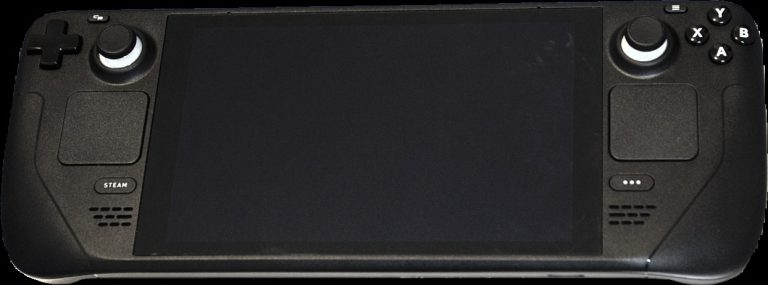
There is no native SteamVR support, so you can’t plug into a PC VR library the way you can with Quest or a dedicated PC headset. If your priority is the large catalogue of VR games across every genre, a Quest is cheaper and better supplied, and Valve’s push back into living-room hardware with the Steam Machine is worth watching for PC VR fans.
Comfort check
Immersive games and fast-moving 3D video can still cause motion sickness, even with good passthrough. Start with seated, short sessions, stop at the first sign of nausea, and clear a play space before any game that asks you to move.
Setup, fit and the Guest User mode
Fit decides whether you love Vision Pro or return it. Apple sells it with a face-scan sizing step, and the right Light Seal (the soft fabric piece that blocks light around your eyes) makes a huge difference to comfort and image clarity.
Quick steps: setting up a new Vision Pro
- Scan your face with an iPhone to pick a Light Seal size.
- Order ZEISS Optical Inserts if you wear glasses.
- Attach the band and adjust the Fit Dial.
- Follow on-screen eye and hand calibration.
- Register Optic ID and capture your Persona.
Glasses wearers need inserts
You can’t wear glasses inside Vision Pro. Instead, you buy ZEISS Optical Inserts that magnetically snap onto the lenses: $99 for readers and $149 for prescription versions. Apple can’t make inserts for every prescription, so check your eligibility before you commit. Contact lenses work fine.
Eye and hand calibration
The first setup asks you to look at a series of dots while pinching, and to hold your hands up so the cameras learn their shape. This calibration is what makes look-and-tap accurate. If selection ever feels off, redo it in Settings rather than assuming the hardware is the problem.
Letting someone else try it
Vision Pro is tied to one user’s eyes and Optic ID. Guest User mode lets you hand the headset to a friend while restricting which apps they can open. You can mirror their view to an iPhone, iPad, Mac or AirPlay TV so you can coach them. Since visionOS 2, a guest’s eye and hand data can be saved for 30 days, so repeat demos skip calibration. Guests who wear glasses need their own compatible inserts, or a demo will look blurry.
Comfort, weight and battery life
Any honest review of Vision Pro spends time here, because this is where it loses ground to cheaper headsets.
Weight on your face
The original headset weighs 600-650g and the M5 model 750-800g, with almost all of that sitting at the front. Glass and aluminium look gorgeous but are heavy. The Solo Knit Band that shipped with the first model was the one in Apple’s photos, but many people found it put too much pressure on their cheeks and forehead after 30 to 60 minutes. The Dual Knit Band on the M5 version, with straps over the top and around the back, is a clear improvement.
Expect the first week to feel strange. Most owners settle into sessions of one to two hours for movies or Mac work. Some swap in third-party head straps. Very long sessions, like a full workday, remain hard for most people.
Battery life
Apple rates the M5 model for up to 2.5 hours of general use and up to 3 hours of video, half an hour better than the original. You can plug the battery into a USB-C charger and keep using the headset indefinitely, which is how most people use it at a desk. For flights longer than a movie, carry a power bank that can deliver enough wattage over USB-C.
Eyes, kids and safety
Apple says Vision Pro is not intended for children under 13. Adults should take breaks: staring at near-field displays for long periods can cause eye fatigue, and the front-heavy design can strain your neck. Don’t use it while driving, cycling or walking near traffic or stairs, even with passthrough on. The video feed has lag and a narrower view than your real vision.
Privacy: Optic ID, cameras and your data
A headset that films your home and tracks your eyes raises fair questions. Apple’s approach is to process as much as possible on the device.
- Optic ID scans your iris to unlock the headset, approve Apple Pay and fill passwords. Apple says the iris data is encrypted and stays on the device.
- Eye tracking data is not shared with apps. Developers only learn what you tapped, not every spot you looked at before tapping.
- Room mapping is handled by the system. Apps need permission to access detailed surroundings data.
- Camera recording shows an indicator on EyeSight so people nearby know when you are capturing.
Recording in public is still a social and legal grey area, and the same questions are shaping smart glasses bans and regulation from courtrooms to schools. Being upfront with people around you before you hit record avoids most of the awkwardness.
“Apple goggles”, “Meta Vision Pro” and other mix-ups
Search data shows plenty of people looking for products that don’t exist, or don’t exist yet. Here is what they are probably after.
Is there a Meta Vision Pro?
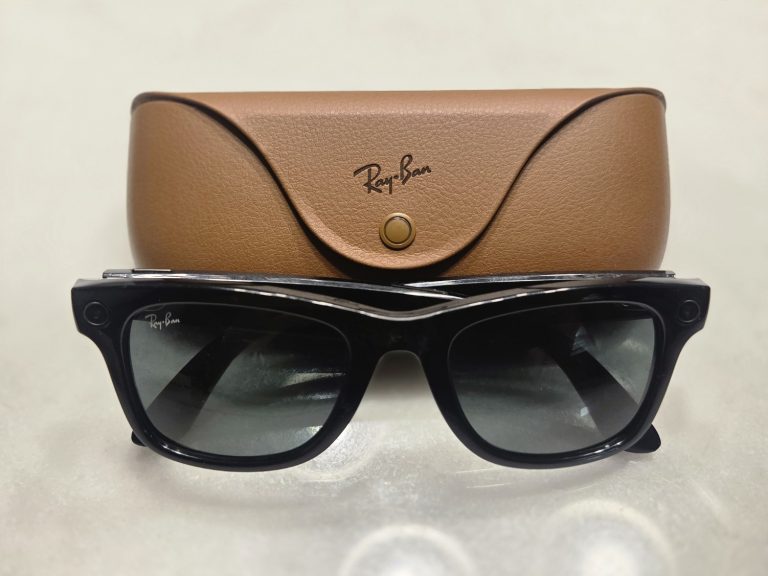
No. “Meta Vision Pro” is a mash-up of two brands. Meta makes the Quest line (Quest 3 and the cheaper Quest 3S), and it previously sold the Meta Quest Pro, which has been discontinued. Apple makes Vision Pro. They are rival products from rival companies. If you want the Meta equivalent to Apple’s headset, it is Meta Quest 3, which costs $499 and does many of the same mixed reality tricks at a much lower resolution. Meta also sells the Meta Ray-Ban Display smart glasses at $799, which are a very different thing: glasses with a small heads-up display, not a headset.
Are there Apple glasses or Vision Pro eye glasses?
Not yet. Apple sells ZEISS optical inserts for Vision Pro, which is likely what most “Vision Pro eye glasses” searches are about. True Apple smart glasses are rumoured. Bloomberg’s Mark Gurman, a reporter with a strong track record on Apple, reported in early October 2025 that Apple had paused work on a lighter, cheaper Vision headset to focus on smart glasses, with an unveiling possibly as soon as 2026. Treat any specs or dates as rumour until Apple announces something. If you want something wearable right now, our smart glasses buying guide covers what is on sale across budgets.
Is “apple vision” a different product?
“Apple Vision” is just shorthand for Vision Pro. Apple has only released one product line under that name, in two chip generations. A cheaper “Vision” model has been rumoured for years and, per the same Bloomberg reporting, has been deprioritised.
Vision Pro vs Meta Quest 3 vs Samsung Galaxy XR
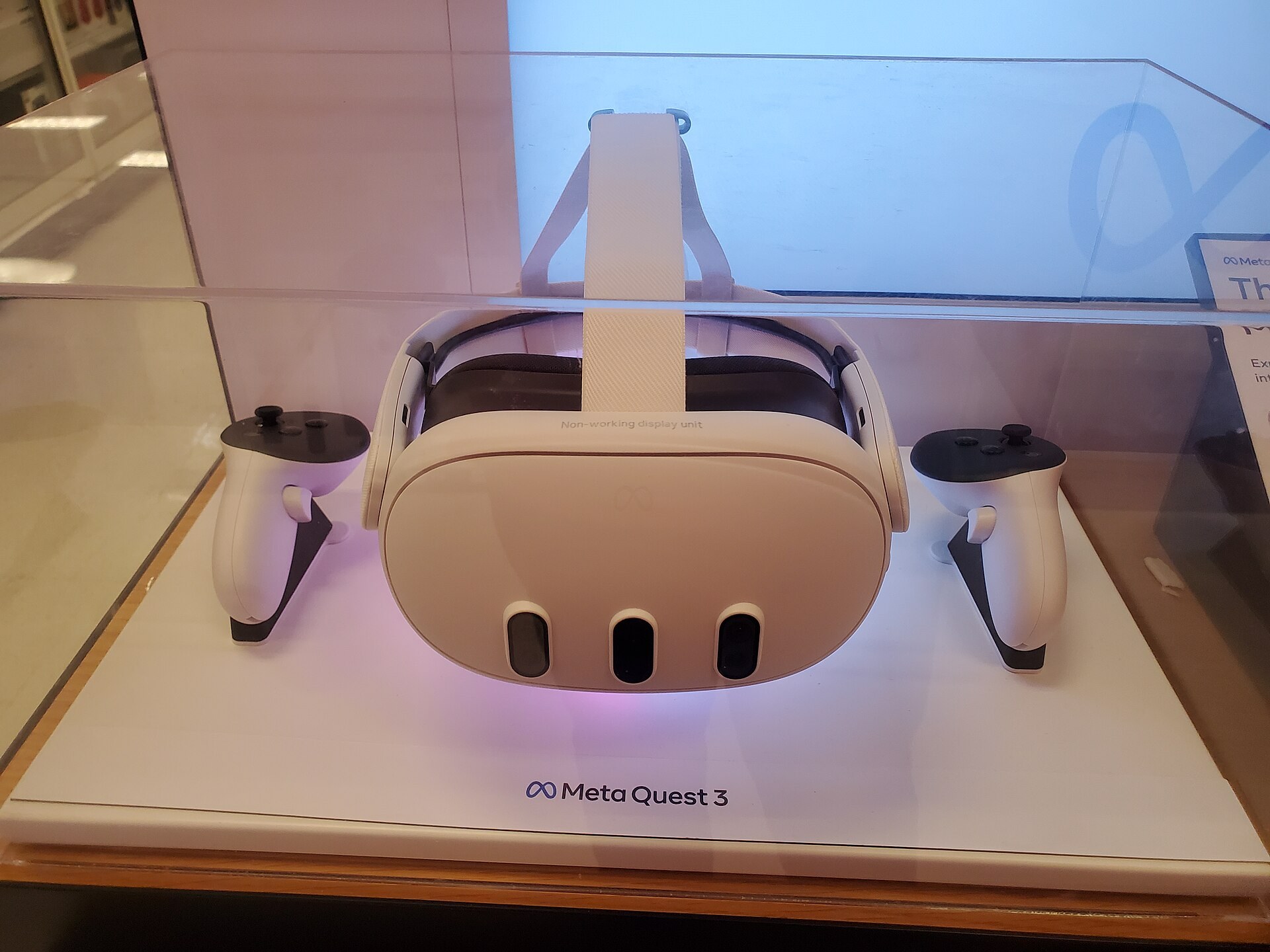
Vision Pro now has a direct rival in Samsung’s Galaxy XR, which launched in October 2025 running Google’s Android XR. Meta Quest 3 remains the mainstream reference point.
| Spec | Apple Vision Pro (M5) | Samsung Galaxy XR | Meta Quest 3 |
|---|---|---|---|
| Price (US) | $3,499 | $1,799 | $499 |
| Platform | visionOS | Android XR | Meta Horizon OS |
| Display | Micro-OLED, ~11.5M pixels per eye | Micro-OLED, 3552 x 3840 per eye | LCD, 2064 x 2208 per eye |
| Refresh rate | Up to 120Hz | Up to 90Hz | Up to 120Hz |
| Field of view | Not published (about 100° estimated) | 109° horizontal (Samsung) | 110° horizontal |
| Headset weight | 750-800g | 545g | 515g |
| Battery | External, up to 2.5 hours | External, about 2 hours | Built-in, about 2 hours |
| Controllers | Optional (PSVR2 Sense) | Optional | Included |
| Chip | Apple M5 + R1 | Snapdragon XR2+ Gen 2 | Snapdragon XR2 Gen 2 |
Where Vision Pro wins
Passthrough quality, eye tracking, build quality and integration with other Apple devices. If you own a Mac, an iPhone and AirPods, Vision Pro slots into that setup better than anything else. Mac Virtual Display, AirDrop, iCloud Photos and spatial video from your iPhone all just work.
Where Galaxy XR wins
Price, weight and Google services. At about half the cost of Vision Pro, Galaxy XR offers a similar micro-OLED, eye-and-hand driven experience with Gemini built into the interface, YouTube and Google Maps as native showcase apps, and access to the Play Store. It is lighter on your face too.
Where Quest 3 wins
Games, value and controllers. Quest 3 has the largest standalone VR game library, ships with controllers, and costs a seventh of Vision Pro’s price. The display is a clear step down for reading text and watching movies, but for fitness, rhythm and action games it is still the headset to beat. If you are weighing a Meta headset now, keep an eye on Meta Quest 4 rumours before you buy, and budget for a comfort strap from the usual Meta Quest 3 accessories.
What Vision Pro really costs
The $3,499 sticker is only the start. Here is a realistic budget for the US.
| Item | Price |
|---|---|
| Vision Pro 256GB | $3,499 |
| Upgrade to 512GB / 1TB | +$200 / +$400 |
| ZEISS Optical Inserts | $99 (readers) or $149 (prescription) |
| AppleCare+ | $499, or $24.99 per month |
| Vision Pro Travel Case | $199 |
| PlayStation VR2 Sense controllers | $249.95 |
A typical glasses wearer who adds inserts, AppleCare+ and a case lands well over $4,300 before tax. Apple has no official trade-in program for Vision Pro. If you want the experience for less, refurbished first-generation units turn up on Apple’s refurbished store at times and on resale markets, and the M2 model still runs the latest visionOS.
To use it, you need an Apple Account, and an iPhone or iPad helps with setup and Light Seal sizing. A Mac is optional but unlocks the best productivity feature. You don’t need a gaming PC or any base stations.
Is Vision Pro worth it?
Vision Pro is the best spatial computer you can buy, and it is not the best headset for most people. Both statements are true, and which one matters depends on what you plan to do.
Buy Vision Pro if you already live in the Apple ecosystem, watch a lot of films or travel often, and want a giant private screen for your Mac. Developers building for visionOS and people who value build quality and passthrough above everything else also get their money’s worth. The M5 model is the one to buy new; a discounted M2 unit is a sensible way in if you mostly watch video.
Buy Samsung Galaxy XR instead if you want a similar high-end mixed reality experience with Google apps and Gemini at about half the price, and you are comfortable with a newer, smaller app catalogue.
Buy Meta Quest 3 or 3S instead if gaming and fitness are your main reasons for wanting a headset. You get controllers, a much bigger game library and a price that leaves room for accessories and a stack of new releases. Pick Quest 3 for sharper lenses and better passthrough, Quest 3S if price matters more.
Wait if you want something light enough to wear all day. Glasses are the direction both Apple and Meta are heading, and the current Vision Pro is a session device, not a replacement for your phone.
FAQ
What is Vision Pro used for?
Most owners use it for watching movies and immersive video, as a large virtual display for a Mac, for browsing in Safari, viewing spatial photos and videos, and FaceTime calls with a Persona. Gaming is a smaller part of the picture, though PSVR2 Sense controller support has widened it.
Is Apple Vision Pro VR or AR?
It does both, which makes it a mixed reality headset. By default you see your real room through the cameras with apps placed in it. Turn the Digital Crown and an Environment or immersive app can replace your surroundings entirely, which is virtual reality in everything but name.
How much does Apple Vision Pro cost?
The M5 model starts at $3,499 with 256GB of storage, with 512GB and 1TB options at $3,699 and $3,899. Prescription inserts, AppleCare+ and a case add several hundred dollars more.
Can you wear glasses with Vision Pro?
No. Glasses don’t fit inside the headset. You need ZEISS Optical Inserts, which cost $99 for readers or $149 for prescription lenses and snap onto the headset magnetically. Contact lenses work.
How long does the Vision Pro battery last?
The M5 model is rated for up to 2.5 hours of general use and up to 3 hours of video playback. The original M2 model is rated for up to 2 hours and 2.5 hours. Both can run indefinitely while the battery is plugged into power.
Does Vision Pro work with a Windows PC or SteamVR?
Not officially. Vision Pro has no native SteamVR or Windows integration. Mac Virtual Display only works with Macs. Remote desktop apps can show a Windows PC as a flat window, but that isn’t the same as playing PC VR games.
Does Vision Pro cause motion sickness?
Less than many VR headsets in its default passthrough mode, because the low-latency camera feed keeps your eyes and inner ear in agreement. Fast immersive games and some 3D video can still trigger nausea. Start with short seated sessions and stop at the first sign of discomfort.
Is there a cheaper Apple Vision headset?
Not yet. A cheaper Vision model has been rumoured for years, but Bloomberg reported in 2025 that Apple shifted focus toward smart glasses instead. For now, the M5 Vision Pro is Apple’s only headset, with refurbished and used first-generation units as the lower-cost option.